Bug #5838
openLogs Browser fails to enumerate log folder and returns no results for valid filters
0%
Description
The Logs browser in Tools → Logs is not functioning correctly when using the default AdiIRC log directory.
- Summary of the problem
When the log folder is set to:
C:\Users\Barry\AppData\Local\AdiIRC\Logs
the Logs dialog fails to enumerate any log files. As a result, valid filename filters (e.g. `.log`, `*.log`) and content searches return either no results or incorrect results.
- Observed behaviour
- Setting Filename: to `.log` returns no results, even though the folder contains many `.log` files.
- Setting Filename: to `*.log` also returns no results.
- Setting Search for: to a network name (e.g. `DALnet`) returns inconsistent results:
- Sometimes nothing appears.
- Sometimes it returns DALnet logs plus status logs from other networks.
- Reversing the filters (e.g. `DALnet` in Filename and `.log` in Search for) still returns no results.
- File Explorer correctly shows all logs in the directory, so the folder itself is valid.
- Expected behaviour
- The Logs dialog should enumerate all files in the selected folder.
- Filename filters should correctly match log files (e.g. `.log` or `*.log` should show all logs).
- Selecting a network should not cause unrelated logs to appear.
- Searches should not return empty results when matching files exist.
- Steps to reproduce
1. Open Tools → Logs.
2. Set Folder:
`C:\Users\Barry\AppData\Local\AdiIRC\Logs`
3. Set Filename: `.log`
4. Leave Search for: empty.
5. Click Search.
6. No results appear, even though the folder contains many `.log` files.
- Environment
- Windows 11 Pro version 25H2
- AdiIRC 4.4
- Notes
This appears to be a deeper issue with how the Logs dialog handles:
- folder enumeration,
- wildcard patterns,
- and network/content filtering.
The result is that the Logs browser cannot reliably display or search log files in the default AdiIRC log directory.
Files
PA Updated by Per Amundsen 5 days ago
I am not able to reproduce this issue, all the queries i have run returns the expected files, maybe adiirc have the wrong log folder?
BS Updated by Barry Suridge 4 days ago
Per Amundsen wrote in #note-1:
I am not able to reproduce this issue, all the queries i have run returns the expected files, maybe adiirc have the wrong log folder?
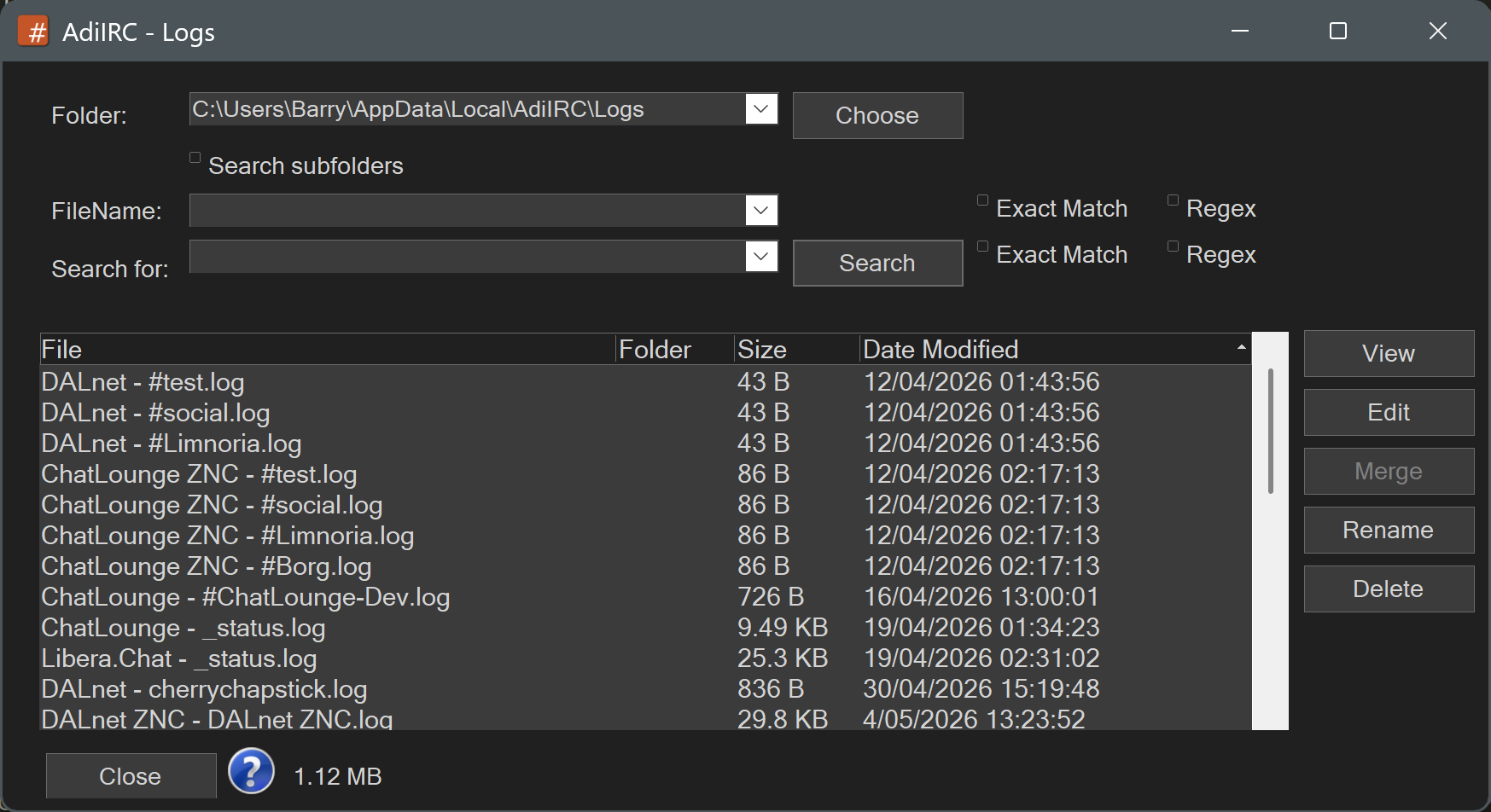
Here's a screen shot of the Logs tool. As you can see, no input and everything shows. LOCALAPPDATA\AdiIRC\Logs is populated. Once I attempt to filter the tool nothing shows.